I'm learning how to use diigo which is a online bookmarking site. This allows you to access your bookmarks from any computer and share resources among other professionals. I think I will find this resource extremely helpful since I have my home computer and work computer, and sometimes I bookmark something on one and then forget and go to open it up on the other computer which just leads to frustration!
A few websites I've linked, also known as my *Digital Hot List*
1. Typing Practice
2. Reference Builder
3. Fact Fluency Practice
4. Scholastic
5. Spelling City
6. Hooda Math
Showing posts with label Education. Show all posts
Showing posts with label Education. Show all posts
Monday, May 5, 2014

Tuesday, April 22, 2014
"What Kind of Place Should School Be?" (Technology Integration)
With the use of technology, teachers,
"act as a learning catalyst, orchestrating and facilitating activities that spark
defining moments for students".
(Blair, 2012) *Brainstorming Ideas*
When I first started this assignment, I wasn't sure what to write about. Technology is such a broad, growing topic in today's society. I started by researching online and came across a Ted Talk given by Greg Toppo, a educational researcher/reporter who has previously taught in both public and private schools. I thought his Ted Talk was interesting because his premise was that he would make you think about technology differently...and he did just that. He showed that technology isn't just iPads and computers, it's also the development of simpler things such as classroom slates (white boards).
 |
| (Still Shot from Presentation) |
He also stated that animals have been using technology far longer than we have. This is seen with ants carrying leaves down into their colonies to grow fungus on to eat or a monkey using a stick to get hard to reach bugs.
Although this seems like a deviation from the original topic, it's not...
My point is, for all those teacher out there who are afraid of technology, you are already using it! It's in the pencil you hold and the copies you make. Yes, technology in the 21st century is more advanced than a pencil, but we can only continue to develop tools/ideas in our society, by showing a willingness to try new things. Personally, although I tend to get easily frustrated with new technology, I still enjoy learning about it and using it in my classroom. I also can quickly see the impact technology has in my personal day-to-day life given my digital footprint below.
 |
| http://www.easel.ly/ |
*Current Technology Use*
 |
| http://bit.ly/1flPokD |
 |
| http://bit.ly/QvL2S5 |
*Future Integration*
 |
| http://bit.ly/1mvBFwE |
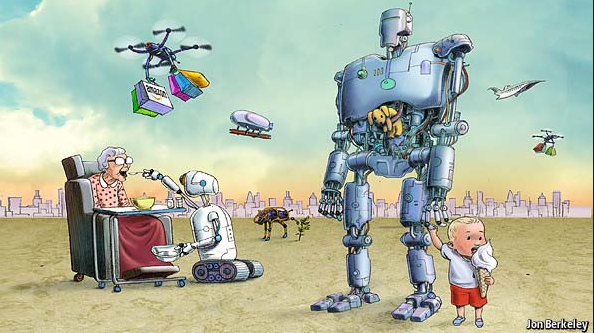
There is an article I read in Edutopia about technology integration. It said one of the key ideas is to make the technology in your classroom, "routine and transparent" ("Successful technology", 2007). I like the thought of that. Clearly with any new activity, you have to teach the children proper use and how to navigate, but I like the idea of technology enhancing the learning not distracting the student FROM the learning. The article then went on to discuss the use of project and game based activities, using student response systems, web-based projects, podcasts, google docs and Wikis, and social media to enhance learning through the use of technology ("Successful technology", 2007). I could see myself in the future using more podcasts with my struggling writers who have great thoughts, just get stuck on the mechanics of writing. I could also see myself using google docs as a group brainstorm that leads to quicker, more efficient conversations. If every child is expected to post, then the quiet children who usually don't raise their hand will still have a voice, and the child who doesn't quite understand will be able to look at other student's thoughts for ideas. As stated in a previous post, I am also working with an IT person over April Vacation to further develop my knowledge of student response systems (clickers) and how to use them in the classroom. Given the age range of my student, I do not see them using social media at this point for their learning. I do see the benefits of including social media as students get older. It's one way to get information out and be readily available to answer questions asked by students and parents, but surprisingly and thankfully my students haven't discovered Facebook yet!
*4-Cs*
*4-Cs*
Now, looking ahead as a teacher who is expected to tech to the Common Core and not only getting students "college and career ready", but also preparing students for the future and jobs that don't even exist yet, I will try to focus my instruction around the "Four C's" that were discussed in an article on the NAESP website (Blair, 2012).
CRITICAL THINKING
CREATIVITY
COMMUNICATION
COLLABORATION
References:
Blair, N. (2012, January 1). Technology integration for the new 21st century learner .NAESP; National Association of Elementary School Principals. Retrieved April 20, 2014, from http://www.naesp.org/principal-januaryfebruary-2012-technology/technology-integration-new-21st-century-learner.
Toppo, Greg. (2012, November 21). A different way to think about technology in education. April 20, 2014, from https://www.youtube.com/watch?v=D17P3kqB3_0.
What is successful technology integration?. (2007, November). Edutopia. Retrieved April 20, 2014, from http://www.edutopia.org/technology-integration-guide-description.
**Since been updated
Monday, April 14, 2014
Literature Review: Clickers
“Technology is only a teaching and
learning tool. Learning is enhanced only if pedagogy takes first place and technology
second”
(Premkumar & Coupal, 2008, p. 149).
Since
moving into my classroom position in September 2013, I have used technology
every day. This mostly manifests itself in the form of child laptops, an FM system, and a SMARTBoard.
Although I wouldn’t consider myself extremely knowledgeable about technology, I
have learned a great deal about SMARTboards and iPads since college.
My
curiosity about clickers in the classroom started
in college when
I had to use
one for a class my sophomore year. I was a little disappointed paying for something
we only used a few times, but I enjoyed the concept of immediate feedback given
a large population of students. When I moved into my classroom, the previous teacher
had wrote a letter to the district explaining why she wanted a SMARTboard and how
she would use it and teach others about it. Her SMARTboard package also came with
a classroom set of clickers. I was excited to find the clickers and use them with
my students; however, the demands of a first year classroom teacher took my focus
away from learning more about the technical setup and implementation of the clickers.
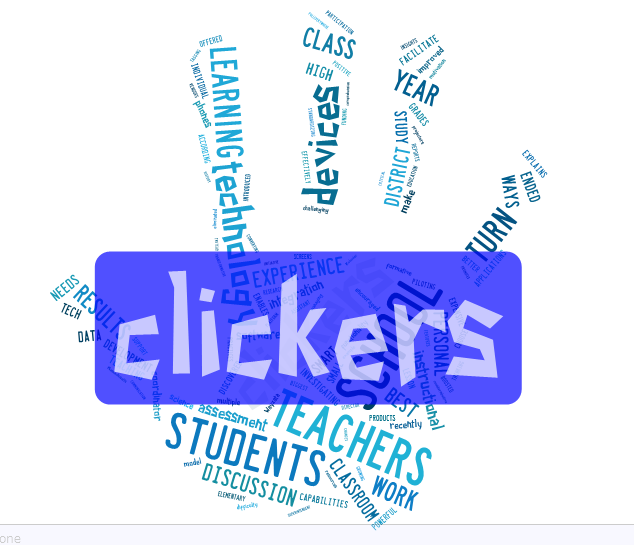
Clickers in an elementary school classroom?

http://bit.ly/1jGAjhy
*Some rights reserved*
*Bitly-Website to shorten links*
The
article I reviewed was found in a 2008 edition of the “Medical Teacher”. It’s by
Kalyani Premkumar and Cyril Coupal out of Saskatoon, Canada and is titled, Rules of engagement- 12 tips for successful use of “clickers” in the classroom. The main premise of
the article is that student response systems such as SMART clickers can be effective
IF used properly. That overall the clickers can improve engagement, motivation,
and retention of new information (p. 147). The article also speaks about
students’ attention span and how it starts to wane after only 20 minutes and how
a student response system (SRS) is a great way for keeping engagement, especially
given a core lesson that can take over an hour to teach.
-Break the lesson up-

I see attention
coming and going constantly in my fourth grade classroom full of movers and shakers.
So far I have used many different strategies, mostly grouping and questioning strategies, to keep
students engaged. I also use the location of my body in proximity to the children
to keep students focused on the task at hand. This might include walking around
the room while teaching or standing next to a particularly talkative child. During
math in particular I use manipultives displayed on the SMARTboard
to teach concepts and I also use hand-help student white boards to take formative assessments of each student’s knowledge.
However, a white board has its limits. The wondering eyes of confused students often
gives them answers they don’t really understand or makes them panic because so many
other students clearly found the answer more easily. It also slightly embarrasses
the shy children when they hold up their board only to realize they didn’t understand
the problem as well as they thought they did. By using a SRS as another teaching
tool, I would be building embarrassment free formative assessment, and each
student would actively participate without the stress or anxiety of possibly
getting the answer wrong in front of his or her peers. An article I reviewed in
Education Week summed up my above thoughts on clickers
exactly. The fourth grade teacher in the article stated, “I love the idea of this
system because it uses interactive technology to promote a risk-free environment
for all students to participate in learning” (Manzo, 2009). I like the idea of students
taking risks without them feeling like there are social consequences attached,
especially in older graders where students are very socially aware.

http://bit.ly/1eJBBbp
As
with all new technology, it is important to discuss not only the benefits, but also
the possible complications. I believe a big need that should to be addressed
with many different types of technology is the desire for proper professional development.
Under the heading, “Robust PD is Vital”, a Scholastic article on clickers goes into the importance of proper professional development
and tech support (Derringer, 2011). I know personally, much of my knowledge with
the SMARTboard comes from student teaching (working with teachers who were comfortable
with the technology) and self-discovery. However, sometimes self-discovery is
hard to come by given the number of hours in a day and a particular workload. Having
proper professional development provides you with a faster opportunity of learning
new technological tricks without the hours of self-discovery. I know after personally
trying to figure out the clickers for myself and getting frustrated with the hand
held devices, I put them away and haven’t looked at them since.

http://bit.ly/1qXycXJ
*Some rights reserved*
With that said,
the Scholastic article also makes another good point. Ian Beatty, the lead investigator
on a clicker study with high school science and math teachers states, “Despite the
critical role of professional development, a teacher’s success or failure ultimately
hinges on the individual’s underlying attitude and thought processes rather
than best practices or tech support” (Derringer, 2011). Given some PD, I feel I
am motivated enough to go from there. Therefore, I will leave you with a few thoughts:
1. I’m not sure of the effectiveness of clickers at different age levels, but after using them myself in my college courses and completing some reading on the subject, I’m
willing to try them in my own classroom and report back. 2. How can I try them out if I can't figure out how to turn them on? Well, I am already seeking out
the IT people in my district who put on technology workshops during April vacation
and have asked for specific instruction into the SMART clicker. 3. I have also linked a video showing the implementation of SRS in classrooms and attached a video below showing
the increasingly curious enquiries into the effectiveness and implementation of
clickers in today’s learners. Enjoy!
http://bit.ly/1qCb02R
1. Demonstrate the understanding of how technologies can effectively promote student learning.
7. Demonstrate an understanding of the use of adaptive technologies and other digital resources to personalize and differentiate learning activities for every student.
8. Evaluate, adapt and reflect upon emerging tools and trends by participating in local and global learning communities and by reviewing current research and professional literature.
*I used this online reference helper.
http:www.scholastic.com/browse/articles.jsp?id=3755843
feedback. Digital Directions. Retrieved April 13, 2014, from
http://www.edweek.org/dd/articles/2009/06/17/04feedback.h02.html
of "clickers" in the classroom. Medical Teacher, 30 (2), 146-149.
doi:10.1080/0/01421590801965111.
Subscribe to:
Posts (Atom)